Prompt de Tip Toe in My Jordans para Kling: cópialo y pruébalo
Actualizado:
Respuesta corta
Pega el prompt de abajo en Kling, agrega tu foto del bailarín y tu foto del compañero como referencias y genera. Enumera ocho tomas cortas y pide un ritmo instrumental. Probablemente necesites más de un intento, o sáltate el prompt y usa MimicZip.
Copia este prompt
Image-to-video, 9:16, about 10 seconds, hard cuts between shots.
Reference image 1 is the DANCER. Reference image 2 is the PARTNER. Keep every face, hairstyle and outfit exactly as in its image. The DANCER wears ordinary everyday shoes.
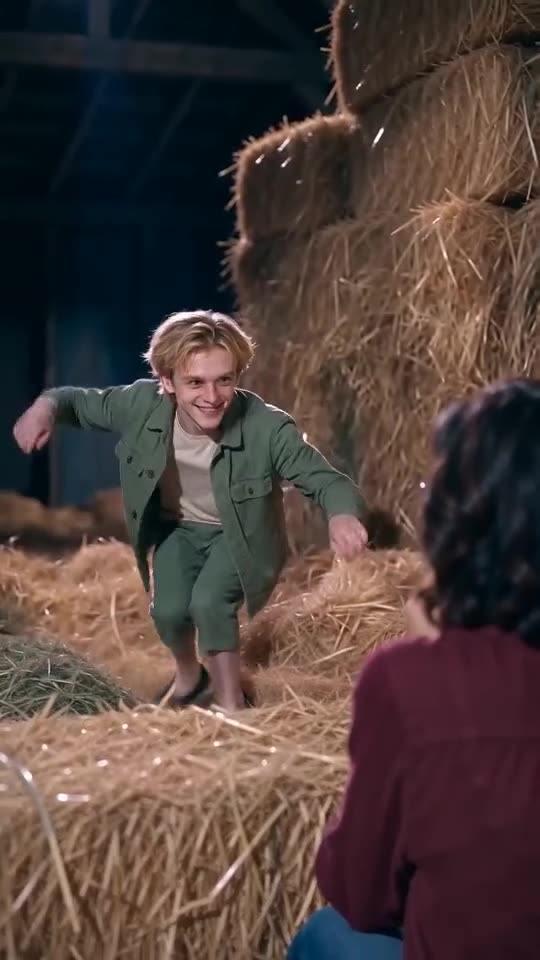
Scene: a rustic wooden barn full of golden straw and hay bales, dark timber walls, warm light on the straw and faces.
Shot 1 (over the shoulder): the DANCER crouches low in the straw, leaning toward the PARTNER, who stands in the right foreground with their back to the camera. Wide, scheming eyes.
Shot 2 (close-up): the DANCER raises one finger to the lips for a clear "shh" with a sly smirk.
Shot 3 (close-up): the PARTNER covers their mouth with one hand, wide-eyed. The DANCER's hand reaches in and pats the top of their head.
Shot 4 (over the shoulder): the DANCER rises and spreads both arms to shoulder height with a mischievous grin.
Shot 5 (low angle): the DANCER's feet, high delicate tiptoe steps through loose straw.
Shot 6 (medium close-up): arms out to the sides, bobbing in rhythm with each step, wide grin.
Shot 7 (low angle): the feet again, an alternating high-stepping tiptoe march.
Shot 8 (medium close-up): arms still spread, bobbing, a fixed gleeful grin until the end.
Audio: an instrumental bouncy beat with finger snaps, about 100 BPM, no vocals, no lyrics, no speech.
Photorealistic, no text, no subtitles, no logos, no watermark.
Cómo usarlo
- Agrega tus dos fotos como imágenes de referencia, primero el bailarín y segundo el compañero, y pega el prompt. Las tomas numeradas van bien para herramientas que leen listas de tomas.
- Usa una sola cara nítida y de frente por foto. La guía de fotos enumera lo que funciona.
- Las herramientas cambian seguido. Revisa la duración y la proporción que admite la tuya y edita la primera línea.
Preguntas frecuentes
¿El prompt nombra alguna canción o artista?
No. Pide solo un ritmo instrumental. Para usar el sonido de moda, agrégalo dentro de TikTok o Instagram al publicar.
¿El resultado va a coincidir exactamente con el meme?
No exactamente. Las caras, el movimiento y los tiempos dependen de la herramienta, de la versión del modelo y de tus fotos. Toma el prompt como punto de partida.
¿Tengo que escribir un prompt aquí?
No. MimicZip usa una plantilla fija, así que agregas dos fotos y pulsas el botón de crear.
Mete dos fotos en el granero
Agrega un bailarín y un compañero y mira una vista previa gratis de 5 segundos. Sin suscripción y sin marca de agua.
Crear mi video