How do I make a Tip Toe in My Jordans video with AI?
Updated:
Short answer
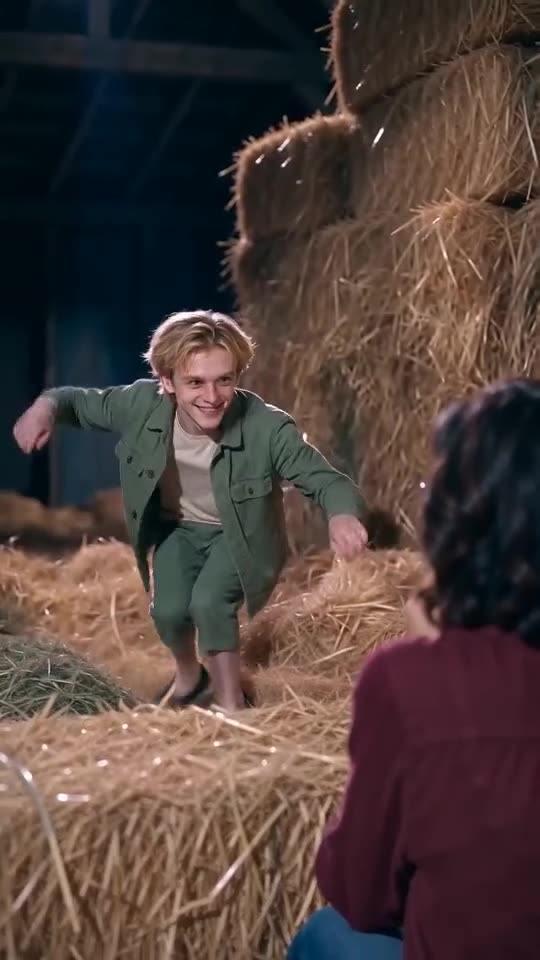
Upload two photos, one for the Dancer and one for the Partner, and MimicZip builds the barn dance around them. Watch the free 5-second preview, then spend 40 credits on a 10-second 720p video. It usually takes a few minutes, and there is no prompt to write.
Step by step
- Open the [generator](/tip-toe-in-my-jordans#generator) and add a Dancer photo and a Partner photo.
- Pick a shape. 9:16 suits TikTok, Reels and Shorts. 16:9 suits YouTube and desktop.
- Tick the photo consent box and log in with Google.
- Watch the free preview (5 seconds, 480p) and check the faces and the movement.
- Render the full video for 40 credits and download the MP4.
What the template does for you
The barn, the hush, the gasp and head pat, the arms-out grin and the tiptoe steps are built into a fixed template, so you never write or paste a prompt. Your two photos decide only who plays which role.
The shots follow a reference video, so results look like the meme and not like a random clip. Faces and motion still vary a little from run to run.
When it is done
The video lands in My videos, where you can download it or copy a share link. For the trending sound, open TikTok or Instagram and pick it before you post. The song guide has the details.
Questions people ask
Do I have to write a prompt?
No. The scene, the camera cuts and the dance come from the template. You pick the two photos and the video shape.
How long does one video take?
Usually a few minutes, though busy periods can take longer. A progress bar shows an estimate while you wait.
Can I close the page while it renders?
Yes. Rendering carries on on our servers, and the finished video is saved in My videos.
Should I choose 9:16 or 16:9?
Choose 9:16 for TikTok, Reels and Shorts, and 16:9 for YouTube or a desktop screen. The free preview works in both.
Put two photos in the barn
Add a Dancer and a Partner and watch a free 5-second preview. No subscription, no watermark.
Make my video