Hit the Road Dude with your cat or dog: how do I make my pet the driver?
Updated:
Short answer
Add one sharp photo of your cat or dog, facing the camera, as the Driver. Your pet sits upright in the driver’s seat with its front paws on the steering wheel, frowns, and says the lines with comic mouth movements. Run the free 5-second preview before spending credits.
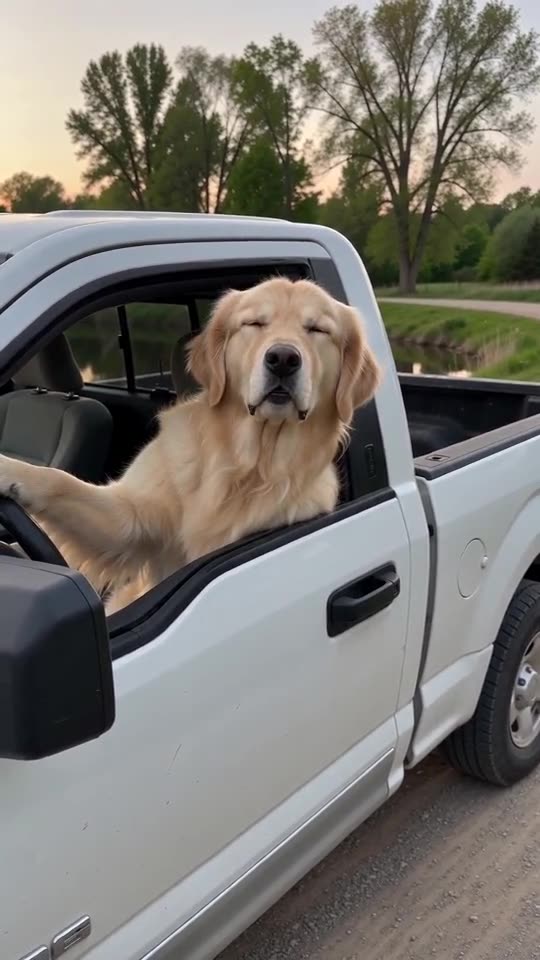
See the scene first, then make yours
- Generated
A golden retriever driver
A golden retriever sits in the driver’s seat with a paw on the wheel and talks. The dog is fictional and the input photo is AI-generated.
Inputs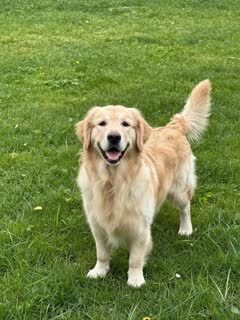
10s · 720p · AI-generated audio · Made 2026-10-21
Generated with MimicZip
AI-generated voices for the lines, plus quiet outdoor sound. No music.
Example people are fictional.
Pet photos that work
- Big, sharp face: the pet’s face fills at least a third of the frame.
- Looking at the lens: a front view makes the mouth easier to animate.
- A stern look helps: a frown or a flat stare suits a grumpy driver.
- One animal per photo, with nothing covering the face.
Which pets?
Cats are the most popular version, but dogs work the same way. Smaller animals far from the lens are harder to read. See the pet guide for more tips and the photo guide for the limits.
Questions people ask
Will my pet really talk?
The video shows your pet’s mouth moving in time with generated speech. The model invents the movement, so it looks more like a cartoon than a documentary.
Which pets work best?
Cats and dogs whose clear face looks straight at the camera.
Can I use a toy instead?
Yes. A toy or your own drawing can be the Driver. It comes alive and keeps its colours and shape.
Make your own Hit the Road Dude AI video
Upload one photo and try a free 5-second preview. No subscription, no watermark.
Make my video