My Ride Is Here AI video: the rider is not flying, how do I fix it?
Updated:
Short answer
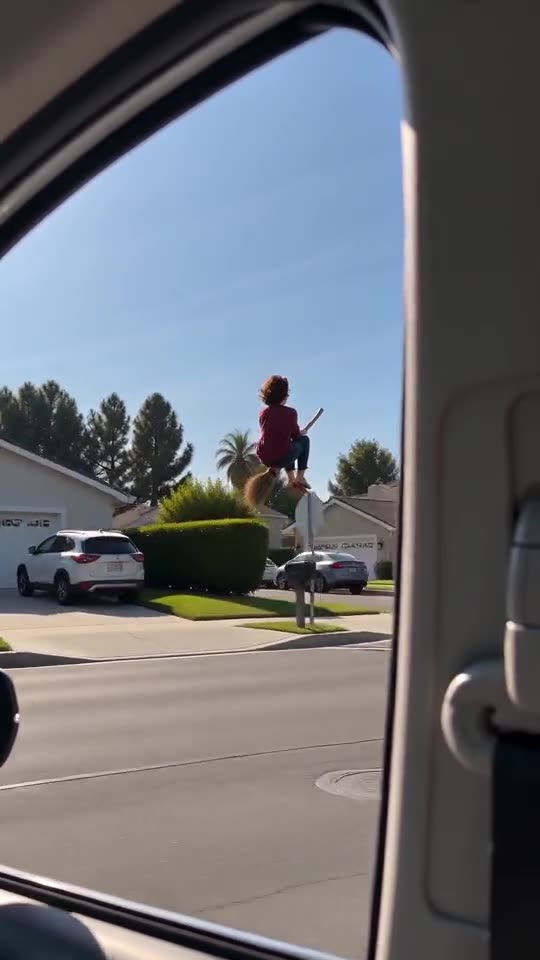
The scene has a fixed order, but an AI video model can skip or blend beats, so the rider may stand, walk or stay in the car instead of flying beside it. Run the free 5-second preview, try a clear front-facing upper-body photo, and run again if you need to. Every run is a new result.
The order you should see
- The rider floats side-saddle on the broom beside the car at window height.
- The rider turns and looks into the camera.
- The rider flies away, or hits a road sign if you picked the crash.
What to try
- Run again. Each run is a new result, and one run is often closer than another.
- Use a photo that is not taken inside a car or while lying down, so the model does not copy that pose.
- Remember that the 5-second preview squeezes the beats, while the 10-second video has more room.
- Still wrong? Email support@mimiczip.com with the video link.
Questions people ask
Why does the rider just stand by the road?
The model sometimes reads a full-body standing photo as a person on the pavement. An upper-body photo makes the broom ride more likely.
Is a rider that does not fly a failed video?
No. Only a run that never finishes counts as failed, and its credits come back by themselves. A finished video with a skipped beat is a normal result.
Does the preview show the same order?
It aims for the same beats in less time, so some can look rushed. Treat it as a quick check on the face and the look.
Make your own My Ride Is Here video
Upload one photo and try a free 5-second preview. No subscription, no watermark.
Make my video