Alors on Danse AI prompt for Veo: a copyable prompt
Updated:
Short answer
Copy the prompt below into Veo and attach your photos as the starting images if your plan allows two. It is one flowing paragraph with the studio, both roles, the beats and a sound line. It names no song or artist. Adjust it to your plan, or use MimicZip for the timed version.
Copy this prompt
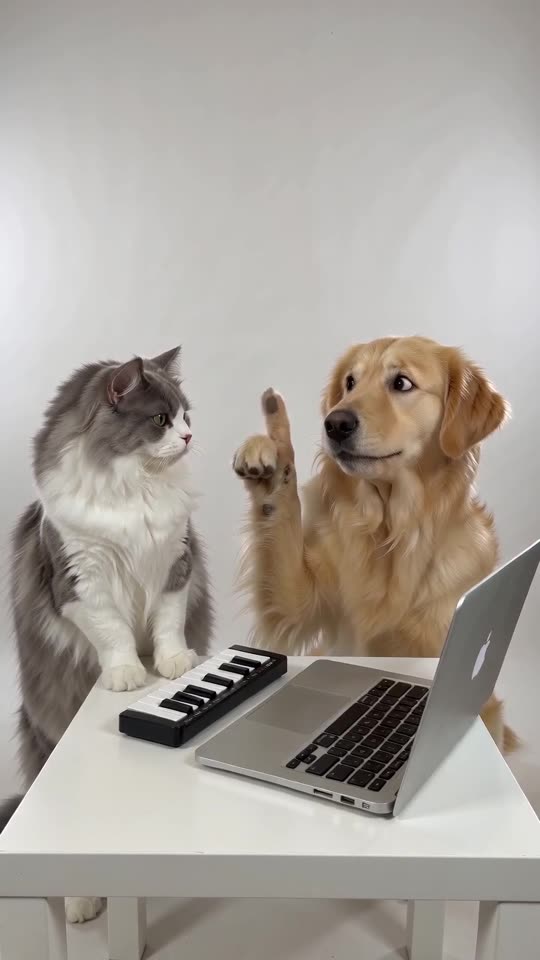
In a bright, seamless white photo studio filmed in one static medium shot, a calm musician stands at a small white table with a silver laptop and a compact mini keyboard, while an excited friend stands right beside them. The friend leans in, jabs a finger at the keys and beatboxes; the musician plays with a completely straight face as an electronic beat kicks in. The beat stops and the musician looks up with a puzzled "huh?". The friend pumps a finger in the air faster and faster, humming a bouncy synth melody, and the musician waits, hands over the keys. Then a bright synth riff blasts, the musician hits the keys, and the friend freezes in a cool, satisfied pose. Sound: beatbox, an original electronic beat and a synth riff, no lyrics. No text, no logos, no watermark.
How to use it
- Describe each person or pet in a few words if your plan takes only one image.
- Keep song and artist names out of the prompt.
- Plans and limits change often, so set the length your plan allows.
Questions people ask
Can Veo keep two faces?
It depends on the plan and the number of reference images allowed. Check before you spend credits.
Will the result match the trend exactly?
Not exactly. Treat the prompt as a starting point.
Do I need a prompt to use this site?
No. MimicZip runs a fixed scene, so you add two photos and press the make button.
Make your own Alors on Danse AI video
Upload two photos and try a free 5-second preview. No subscription, and the full video has no watermark.
Make my video