Window Peeper prompt for Veo
Updated:
Short answer
Paste the prompt below into Veo with your photo as the starting image, at 9:16. Veo may add its own sound, so download without sound or mute it before adding the trending sound.
Copy this prompt
Image-to-video, 9:16, about 14 seconds.
Reference image 1 is the CHARACTER. Keep their face, hair, skin tone and clothes exactly as in the image. Adult only.
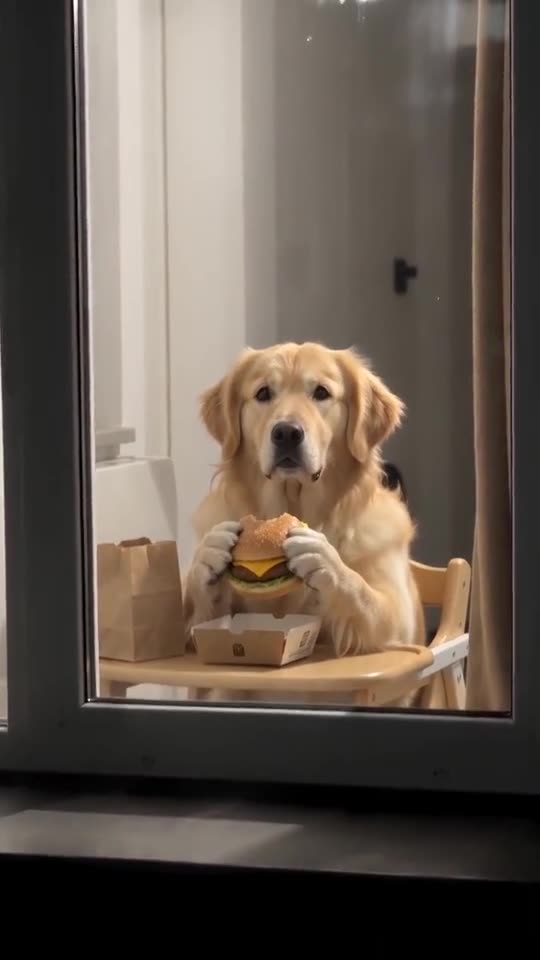
Setting: a plain apartment block at night seen from the building across the street; rows of dark windows, only one window lit warm yellow. Inside: a small kitchen table right behind the glass and a long brown curtain on the right side of the window.
Camera: a neighbour's phone zoom, steady, slightly grainy night footage, no cuts.
Beat 1 (0 to 2 seconds): wide shot of the dark facade, then a fast smooth zoom into the lit window until it fills the frame.
Beat 2 (2 to 6 seconds): the CHARACTER sits at the table holding a plain unbranded cheeseburger with both hands, takes a big bite, then freezes mid-chew and stares straight into the lens.
Beat 3 (6 to 10 seconds): keeps staring without blinking, chewing very slowly, deadpan and suspicious.
Beat 4 (10 to 14 seconds): puts the burger down, stands up, walks to the right side of the window and pulls the curtain shut; the window goes dark.
Audio: a light playful suspense instrumental and faint city night ambience. No voices, no speech.
Photorealistic, no brand names, no logos, no text, no watermark.
Tips
- Use a bright, sharp head-and-shoulders photo.
- Keep the clip at about 14 seconds.
Questions people ask
Can Veo keep my face?
Often, if the photo is sharp and bright. The face is small at the start, so judge it after the zoom.
Make your own Window Peeper video
Upload one photo and try a free 5-second preview. No subscription, and the full video has no watermark.
Make my video