Crazy Frog AI video: the rider is not floating, how do I fix it?
Updated:
Short answer
The scene has a fixed order, but an AI video model can skip or blend beats, so the rider may stand, sit on the road or ride a real bike instead of crouching in mid-air. Run the free 5-second preview, try a clear front-facing upper-body photo, and run again if you need to.
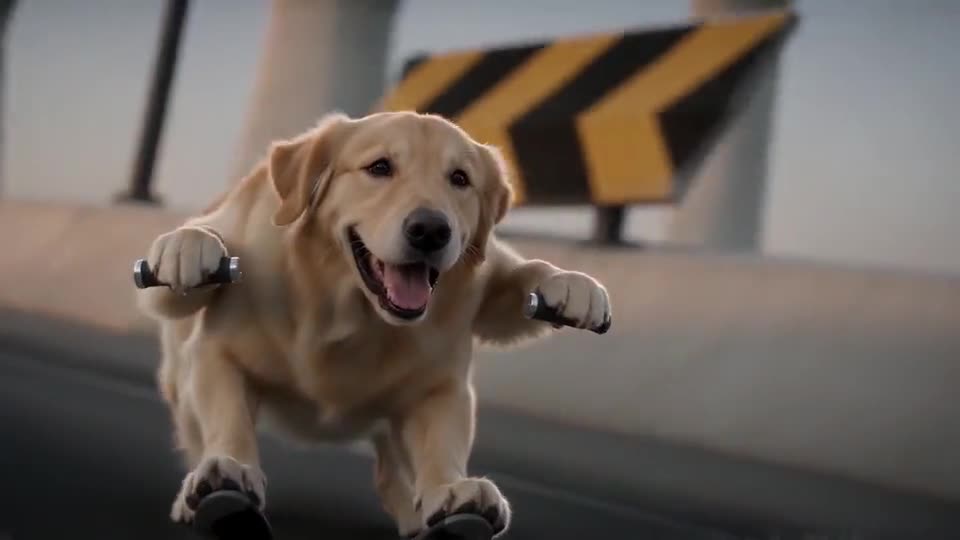
The order you should see
- The rider crouches in mid-air about half a metre above the road, with fists out, for the first beats.
- The rider looks back, sees the hoverbike and panics with both hands up.
- The last shots show the rider small on the ramp, then banking around a bend.
What to try
- Run again. Each run is a new result, and one run is often closer than another.
- Use a photo that is not lying down, on a bike or inside a car, so the model does not copy that pose.
- Remember that the 5-second preview squeezes the beats, while the 15-second video has more room.
- Still wrong? Email support@mimiczip.com with the video link.
Questions people ask
Why does the rider just stand on the road?
The model sometimes reads a full-body standing photo as a person on the pavement. An upper-body photo makes the crouch more likely.
Is a rider that does not float a failed video?
No. Only a run that never finishes counts as failed, and its credits come back by themselves. A finished video with a skipped beat is a normal result.
Does the preview show the same order?
It aims for the same beats in less time, so some can look rushed. Treat it as a quick check on the face and the pose.
Make your own Crazy Frog AI chase video
Upload one photo and try a free 5-second preview. No subscription, and the full video has no watermark.
Make my video