Ramalama prompt for Veo: a copyable costume reveal prompt
Updated:
Short answer
Paste the prompt below into Veo, add your photo as the reference image and generate. It times the low-angle walk, the tilt-up at about 7.5 seconds and the close-up, and asks for an instrumental beat. Expect a few tries, or skip the prompt and use MimicZip.
Copy this prompt
Image-to-video, 9:16, one continuous shot; if the tool only allows 8 seconds, shorten each beat in the same order.
Reference image 1 is the STAR. Keep the face, hair and skin tone exactly as in the image.
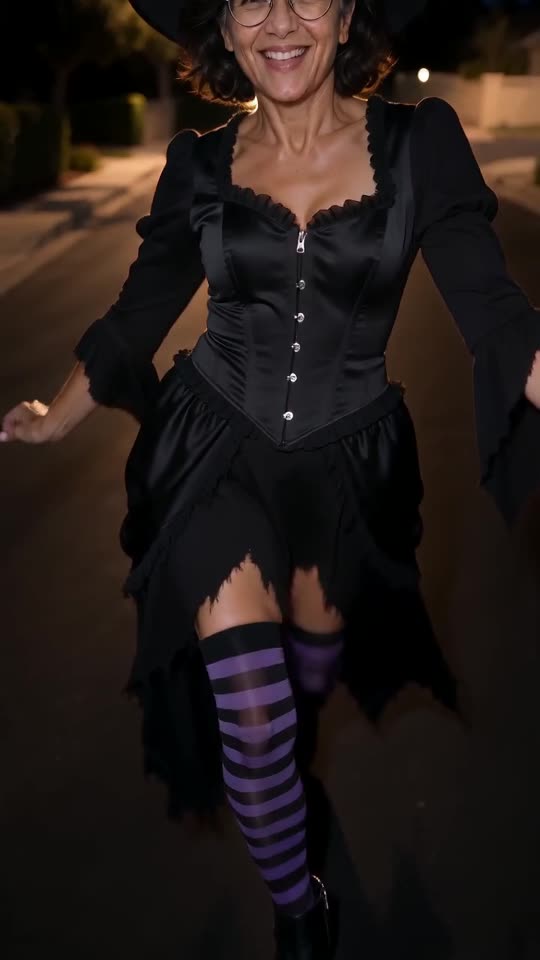
Costume: a classic witch costume: a tall pointed black hat, a long black dress with a ragged hem, black-and-purple striped stockings and pointed black ankle boots. The face stays uncovered.
Scene: a quiet suburban street at night, dark asphalt, warm orange street lamps, trees and hedges.
Camera: one continuous phone shot held just above the ground, gliding backward as the STAR walks toward it, no cuts.
0–7.5 s: low-angle shot showing only the legs, boots and the hem of the dress, striding toward the camera with a confident runway walk, one step per beat. The face is never shown.
7.5–8.3 s: the camera tilts up fast from the feet to the face, revealing the whole costume.
8.3–10.2 s: the STAR keeps strutting in, arms swinging out, then frames the face with both hands and smiles.
10.2–12 s: leans into the lens for a big close-up grin.
Audio: an instrumental electro-pop beat with a stomping drum on every step, no vocals, no lyrics, no speech.
Photorealistic, no text, no subtitles, no logos, no watermark.
How to use it
- Add your photo as the reference image, then paste the prompt.
- Swap the costume and scene lines for your own idea; keep the timing lines so the reveal stays on the beat.
- Veo clips can be shorter than 12 seconds; keep the beats in order and make each one quicker.
Questions people ask
Is a song or an artist named in the prompt?
No. It asks for an instrumental beat only. To use the trending sound, add it inside TikTok or Instagram when you post.
Will the result match the trend exactly?
Not exactly. Timing and faces depend on the tool, the model version and your photo. Treat the prompt as a starting point.
Do I need to write a prompt here?
No. MimicZip uses a fixed template, so you add one photo, pick a costume and press the make button.
Make your own Ramalama costume reveal
Upload one photo and watch a free 5-second preview. No subscription, and the full video has no watermark.
Make my video