What sound goes with the Babydoll Dance, and will it line up?
Updated:
Short answer
Our video follows the first 15 seconds of the @gracebettyharmer clip second by second. Open that clip in TikTok, tap its sound and use it from 0 seconds: the steps and the final jump line up. The sound is tagged Babydoll; we could not confirm who made it and name no artist.
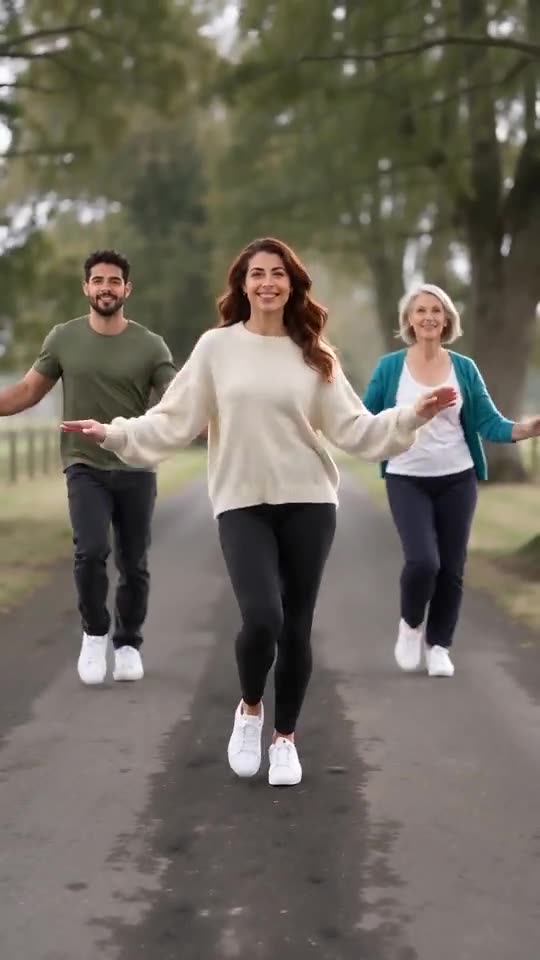
What you hear in our video
A new AI-made upbeat two-step dance beat with a bouncy bassline and a steady kick, and no words. It is generated with the video, so it differs between runs. It is not the original recording.
Add the trending sound so it lines up
- Download the version without sound from My videos.
- Open the @gracebettyharmer clip in TikTok, tap the sound name and choose Use this sound.
- Upload your video and start the sound from 0 seconds.
- Trim the sound to the 15-second video and post.
When it may not line up
The moves follow the viral clip, but the model still invents each step, so a move can land a few frames early or late. Our video stops at 15 seconds, so the second half of the original dance is not covered. The 5-second preview squeezes the beats, so only the full video follows the timing.
How to add the original sound in TikTok
Our videos come with an AI-made original soundtrack. To use the trending sound instead, add it inside TikTok when you post. You can also download a silent version from My videos and put the original sound on that.
- Open this clip in TikTok: our video follows it. Tap the sound name at the bottom, then tap Use this sound.
- Tap Upload and pick the video you downloaded from us.
- Open Volume and turn the video's own sound down to 0, or download the silent version from My videos.
- To line up the beat, use the scissors (trim) to start the sound from 0 seconds, then post.

Need to move where the sound starts? This short video shows how to trim it.

Video: How To Trim Sound On TikTok 2026 (Very Easy) by Software Solutions on YouTube
Questions people ask
Which sound lines up best?
The original sound of the @gracebettyharmer clip, because our video follows that clip.
Can I keep the AI soundtrack?
Yes. It is an upbeat instrumental beat with no words.
Does the preview line up too?
No. The 5-second preview runs faster. Only the 15-second video follows the full timing.
Make your own Babydoll Dance AI video
Upload one to four photos and try a free 5-second preview. No subscription, and the full video has no watermark.
Make my video