Bama Bound prompt for Veo: a copyable prompt without names
Updated:
Short answer
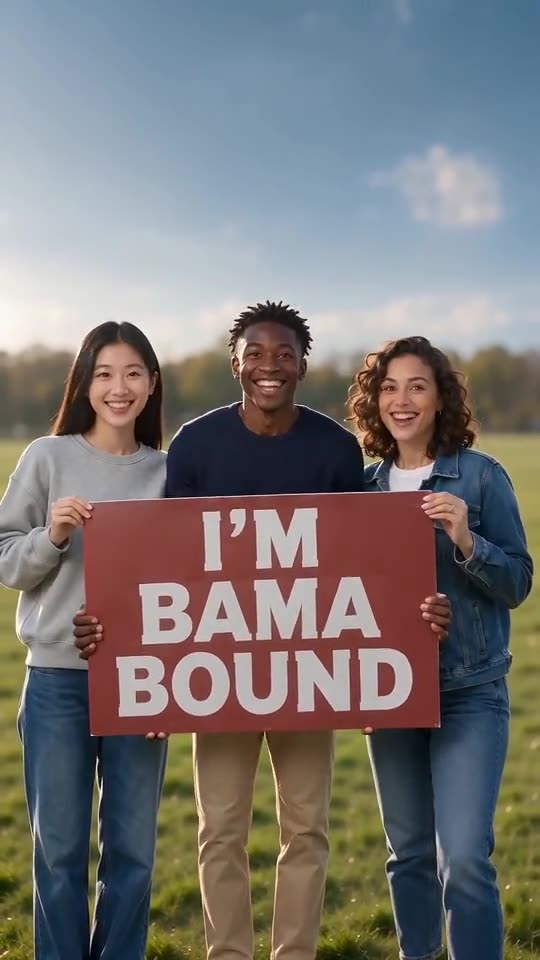
Copy the prompt below into Veo and attach one to four photos of adults or pets. It covers the red sign at the chest, the lift overhead and the jump, spells the sign words out, and asks for an instrumental with no voices. It names no person, song or account. Expect a few tries, or use MimicZip.
Copy this prompt
A fixed eye-level video, 9:16, about 12 seconds, of one to four people or pets standing in a row on a sunny green lawn under a blue sky, in the order of reference images 1 to 4 from left to right, keeping their faces or fur and colours; a pet stands upright and holds the sign in its front paws. Together they hold one large red poster-board sign with big bold white capital letters spelling exactly I'M BAMA BOUND on three lines, perfectly spelt, no logos or crests. They hold it at chest height and smile and bounce, then lift it over their heads with arms straight up and scream with joy, then bounce, jump and cheer with the sign held high until the end. No cuts, no zoom. Sound: a bright instrumental celebration beat with wordless cheers, no lyrics. No other text, no watermark.
How to use it
- Attach the photos in the order you want them from left to right, adults or pets only.
- Check the sign’s spelling in the result; text is the hard part for AI video tools.
- Plans and limits change often, so set the length your plan allows.
Questions people ask
Can Veo keep several subjects?
It depends on the plan and the number of reference images allowed. Check before you spend credits, or use MimicZip.
Will it match the trending sound?
Not exactly. A text prompt cannot hit the beat second by second. MimicZip uses a timed template for that.
Do I need a prompt to use this site?
No. MimicZip runs a fixed scene, so you add photos and press the make button.
Make your own Bama Bound AI video
Upload one to four photos and try a free 5-second preview. No subscription, and the full video has no watermark.
Make my video