What Stop Sign prompt for Veo
Updated:
Short answer
Paste the prompt below into Veo with your pet photo as the starting image, at 9:16. Veo may add its own sound, so download without sound or mute it before adding the bodycam audio.
Copy this prompt
Image-to-video, 9:16, about 11 seconds.
Reference image 1 is the DRIVER, a pet. Keep its species, face, fur colours and markings exactly as in the image.
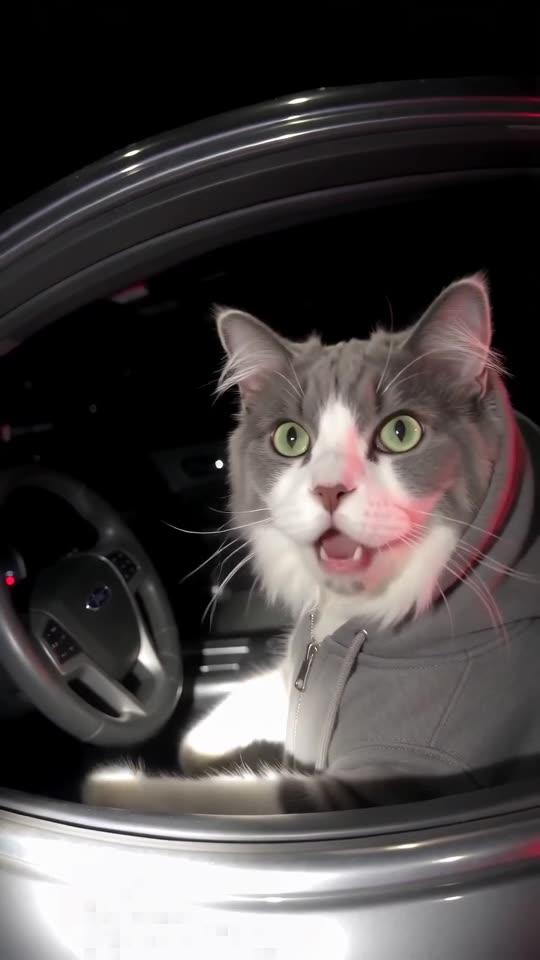
The DRIVER sits upright in the driver's seat of an ordinary dark sedan at night, wearing a plain grey hoodie with the hood up, its own ears and face visible. Red and blue emergency lights flash somewhere behind, washing the car in colour.
Camera: a police body-camera point of view, slightly fisheye, chest height, grainy night video, handheld walking motion. No person is visible.
Beat 1 (0 to 2 seconds): the camera walks up to the open driver's window; the DRIVER slowly turns to look into the lens.
Beat 2 (2 to 5 seconds): close view through the window, the DRIVER stares with huge, innocent, clueless eyes and tilts its head.
Beat 3 (5 to 9 seconds): it leans toward the window, blinks, looks away as if thinking, then looks back with the same innocent face.
Beat 4 (9 to 11 seconds): a flashlight lights it up and it holds a small blank white card out toward the camera with one paw.
Audio: night ambience only, an idling engine and distant traffic. No dialogue, no speech, no voices.
Photorealistic, no text, no plates, no badges, no logos, no watermark.
Tips
- Use a bright, sharp pet photo.
- Keep the clip at about 11 seconds.
Questions people ask
Can Veo keep my pet's markings?
Often, if the photo is sharp and bright.
Make your own What Stop Sign video
Upload one pet photo and try a free 5-second preview. No subscription, and the full video has no watermark.
Make my video