Puerto Rican Mami prompt for Veo: a copyable prompt without names
Updated:
Short answer
Copy the prompt below into Veo and attach two photos of adults or pets. It covers the opening, the timed moves and the ending, and asks for an instrumental with no voices, so you can add the sound later. It names no person, song or account. Expect a few tries, or use MimicZip.
Copy this prompt
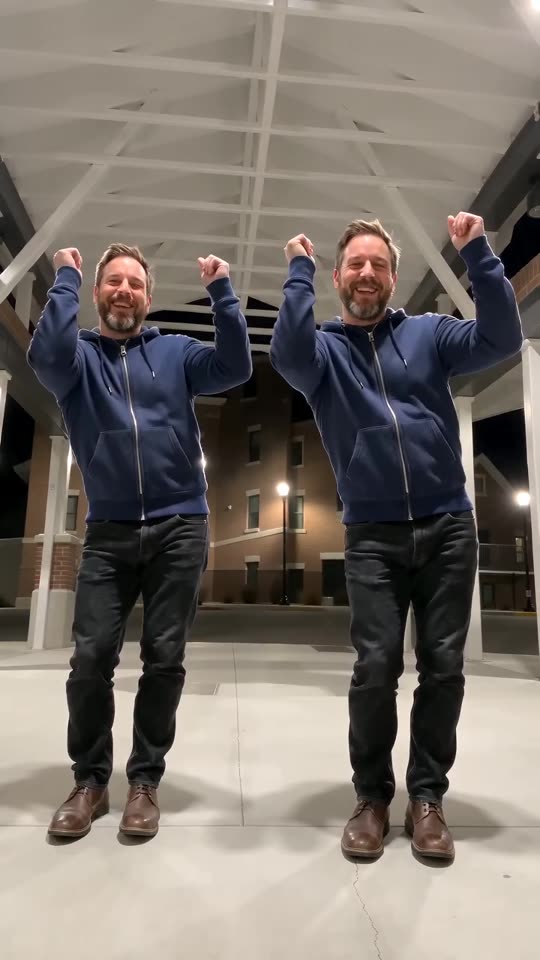
A fixed, low eye-level tripod video on an open-sided covered brick walkway at night with a white steel-beam roof and softly lit brick buildings behind, 9:16, about 15 seconds. The two characters from reference images 1 (LEFT) and 2 (RIGHT), each an adult or a pet standing upright, keeping their faces or fur and colours, stand side by side grinning, then take turns throwing their arms out wide and up with bouncing shoulders, step toward each other lifting their knees, swap sides with quick foot taps, bounce with both arms raised, and finally bend forward with hands on their knees, shake low in sync and pop back up laughing. One continuous take, no cuts, both visible from head to toe. Sound: an instrumental latin-flavoured dance beat, no vocals. No text, no logos.
How to use it
- Attach the Left dancer photo as image 1 and the Right dancer photo as image 2, adults or pets only.
- Do not add a song or account name; tools tend to filter them.
- Plans and limits change often, so set the length your plan allows.
Questions people ask
Can Veo keep two subjects?
It depends on the plan and the number of reference images allowed. Check before you spend credits, and describe each character in a few words if only one image is allowed.
Will the result match the trend exactly?
Not exactly. Treat the prompt as a starting point.
Do I need a prompt to use this site?
No. MimicZip runs a fixed scene, so you add two photos and press the make button.
Make your own Puerto Rican Mami AI video
Upload two photos and try a free 5-second preview. No subscription, and the full video has no watermark.
Make my video