How do I make an Escalade Rampe Géante AI video?
Updated:
Short answer
Upload one full-body or waist-up photo of an adult with nobody else in it, pick a place and an outfit, and MimicZip builds the giant-ramp stunt. Check a 5-second bonus preview, then spend 1 credit on the 5-second 720p video and add your sound in TikTok. No prompt to write.
Putting yourself on the giant ramp
- Open the template page. There is one box. Your face and clothes are carried through the whole run, from the sprint to the landing, so use a sharp, front-facing photo of one adult, full-body or waist-up, with arms and legs in view if you can. Pets, toys, anyone under 18 and group photos are not accepted. JPG, PNG or WebP, up to 10 MB.
- Choose the place: the grey dam ramp in daylight (the default and the tested one), a sunset ramp, a snowy ramp, a floodlit night ramp, a ramp in the rain or a dawn ramp. Choose the outfit: your own clothes, a sports vest and shorts, a hoodie, a suit, a red tracksuit or a black windbreaker. Choose the colour tone: natural, warm, cool, pastel, vivid or retro film. Plain clothes without long loose parts or big prints work best, and neither choice changes the price.
- Pick 9:16 for TikTok, Reels and Shorts, or 16:9 for YouTube and desktop screens.
- Consent and sign-in. Tick the photo-consent box and log in with Google. Previews arrive inside a pack, so take one if you have no credits.
- Check the preview. It is watch-only, 5 seconds at 480p, the same scene at lower quality, with a PREVIEW badge. Look for you sprinting up the wall rather than staying near the bottom, and for only one runner.
- Render: 1 credit gives the 5-second 720p MP4 with no watermark, saved in My videos.
- Add your sound in TikTok; the effect has no song to follow.
Five beats on a wet curve
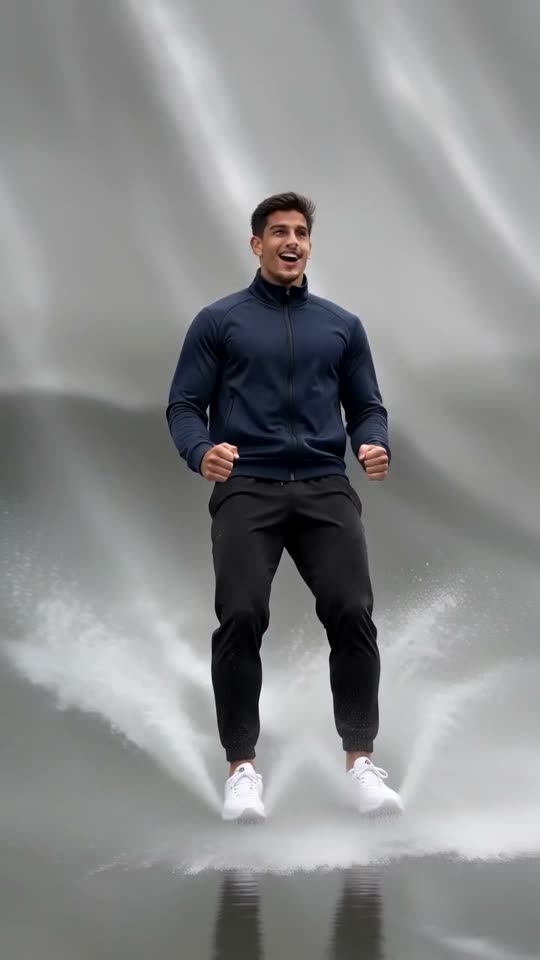
A low camera that only tilts follows you: you sprint away through shallow water with spray flying (0 to 1 second), climb higher up the curved wall and shrink while the railing and a few tiny onlookers appear (1 to 2), push off near the top and tumble through the air under a grey sky (2 to 3), land on your feet and slide back down the wall standing, arms spread for balance (3 to 4), and reach the foot in a burst of spray, unhurt, fists clenched and breathing hard (4 to 5).
The flip and the slide are the hardest part for the AI, so limbs can look stretched or the landing wobbly; that is a normal miss, not a failed render, and a new run can look better. It is a special effect: nobody is hurt and no real ramp exists, so please do not copy it on a real ramp or dam.
Where it comes from
Download the MP4 or copy a share link from My videos. “Escalade Rampe Géante” is French for “giant ramp climb”, and our video matches one effect demo inside @tei6707’s post of 28 October 2026 (roughly seconds 2 to 7 of its 30), not the post from second 0. The rest of that post is a tutorial with a French voice-over, not a song; the sound guide explains how to add yours.
MimicZip is independent and is not affiliated with TikTok or the people who posted the trend.
Questions people ask
Do I need to write a prompt?
No. The ramp, the low camera and the order of the five beats are fixed. You provide one photo and choose the place, the outfit and the format.
Can I close the page while it renders?
Yes. Rendering carries on at our end, and the finished video is saved under your account in My videos.
Which format should I pick?
Choose 9:16 for TikTok, Reels and Shorts, or 16:9 for YouTube and desktop. A bonus preview works in either shape.
Make your own Escalade Rampe Géante AI video
Upload one photo and make a 5-second HD video from $8.99. No subscription, and the full video has no watermark.
Make my video