How do I make a Closed Door AI video from my photo?
Updated:
Short answer
Upload one photo of yourself, an adult friend or your pet, pick an outfit, the world outside and a mood, and MimicZip builds the five shots. Check a 5-second bonus preview, then spend 1 credit on the 10-second 720p video. You write no prompt.
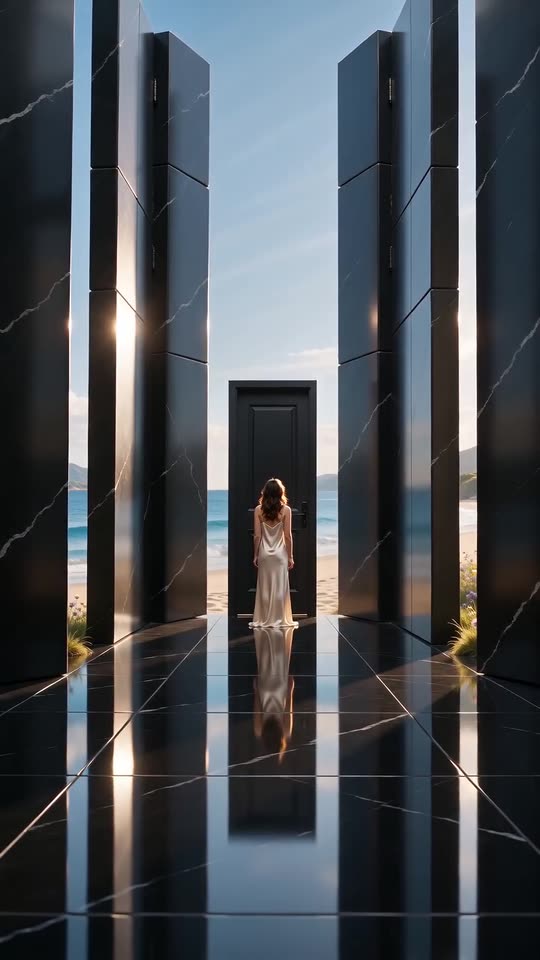
From a photo to the hall
- Open the template page. There is one box, for the person or pet at the door. Use a sharp photo of one adult, head to thighs or lower and facing the camera, or one pet with its whole body in view, as JPG, PNG or WebP up to 10 MB.
- Pick the outfit. An ivory gown is the default; a black suit, a white shirt, pyjamas and a wedding dress are the others. A pet wears a matching small accessory.
- Pick the world outside the walls and the mood, then 9:16 for TikTok, Reels and Shorts, or 16:9 for YouTube and desktop screens.
- Consent, login, pack. Tick the photo-consent box and sign in with Google. Previews come inside a pack.
- Check the preview for your face and the dark hall, then render: 1 credit gives the 10-second 720p MP4, saved in My videos.
What the options decide
The hall, the door and the five shots are fixed. The outfit changes what you wear, the world changes what the walls open onto, and the mood changes how you feel while it happens, from quiet sorrow to wide-eyed awe.
After rendering
Download the MP4 or copy a share link from My videos. The clip has soft ambient music of its own and no song; the sound guide says how to add the song people pair with it.
Questions people ask
Do I need to write a prompt?
No. The five shots are already written. You add a photo and pick options.
Do I need a dress or a dark room?
No. The outfit and the hall are generated; you only need your photo.
Can I close the page while it renders?
Yes. Rendering carries on at our end, and the finished video is saved in My videos.
Make your own Closed Door video
Upload one photo and make a 10-second HD video from $8.99. No subscription, and the full video has no watermark.
Make my video