Closed Door AI not working? Fixes for common problems and a free redo
Updated:
Short answer
If a Closed Door render errors out, its credit comes back by itself. If it finishes and you simply want another take, a rerun costs 1 credit, even with the same photo. Use a 5-second bonus preview to check the face and the hall before you pay for the full video.
When the credit comes back
- A render that errors out, or a photo the safety check refuses: automatic, nothing to ask for.
- A pack you have not touched, within 7 days of buying: see the refund policy.
When it does not
- A finished clip where the walls open in another order or the world outside looks different.
- A fresh try with another outfit, world or mood: that is a new run at 1 credit.
Test before you spend
The $8.99 pack comes with 1, the $16.99 pack with 3 and the $25.99 pack with 5. A sharp photo with the face lit (photo guide) is the best protection against a face that drifts. Previews are watch-only and lower resolution.
For a refund on an unused pack, email support@mimiczip.com.
Why does the face in my Closed Door AI video not look like me?
The face drifts when the photo is small, tilted, shaded or shows more than one person. Use one sharp, front-facing photo of one adult with the face fully lit, then check a bonus preview before you spend a credit on the full video.
What usually causes it
- A small or blurred face, or one in shadow.
- Hair covering half the face, sunglasses or a hat.
- A group photo, or a second person in the background.
- A strong filter that already changed your face.
What to do
Retake the photo with the face large and evenly lit, facing the camera, then run a preview. The video has several close-ups of a crying face, so the photo needs a clear face to hold on to. See the photo guide.
What if the locked door opens in my Closed Door AI video?
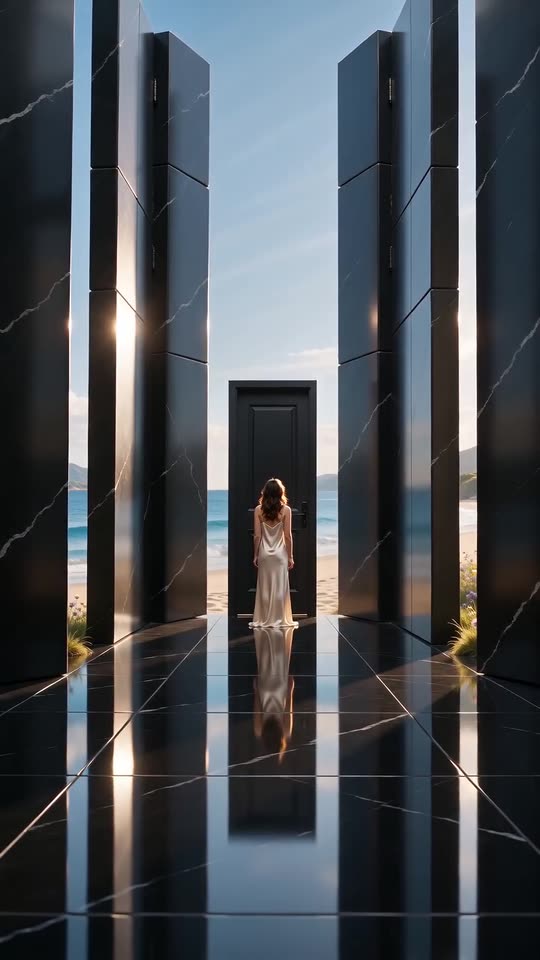
The door should stay closed while the walls open around it. AI sometimes lets the door open or adds a second door; if the door opens, try the same photo once more, or the calm or sorrow mood, which keep the person still. The preview shows the opening before you spend a credit.
What is normal
- The walls open in a different order, or one wall opens late.
- The world outside looks different from run to run.
- A few extra reflections appear in the mirror floor.
What is not
- The locked door opens and the person walks through it.
- A second person appears.
- The hall turns into a bright room from the start.
What to try
The sorrow and calm moods are the quietest, so they keep the person at the door. A photo with a plain background also helps. If a full video lets the door open, a new run costs 1 credit; see free redo for what is refunded.
Questions people ask
Will I be charged for an error?
No. The credit is held when the run starts and handed back if it errors.
How do I avoid wasting a credit?
Preview first with a sharp, front-facing photo, then spend the credit on the full 10 seconds only when it looks right.
Can I get a refund instead of a redo?
Only on a pack you have not used, within 7 days.
Is a changed face refunded?
A render that finishes is a result, not an error; check a bonus preview first to avoid it.
Does a different mood help?
The calm mood keeps the face quieter, with only a single tear, which is easier to hold steady.
Can I use two photos?
No. One photo of one person or pet is all this template takes.
Can I make the door stay shut?
The scene is written so that it does, but AI does not always obey; the preview shows the first seconds.
Does the wedding dress change this?
No. The outfit only changes what is worn.
Can the person walk out into the world?
Not in this template. Everyone stays in front of the closed door, which is the idea.
Make your own Closed Door video
Upload one photo and make a 10-second HD video from $8.99. No subscription, and the full video has no watermark.
Make my video