How do I make an Iceman AI video?
Updated:
Short answer
Upload one sharp, front-facing photo of an adult with empty hands, pick a room and a jacket, and MimicZip builds the cold-storage rap. Check a 5-second bonus preview, then spend 1 credit on the 15-second 720p video and add a trending sound in TikTok. No prompt to write.
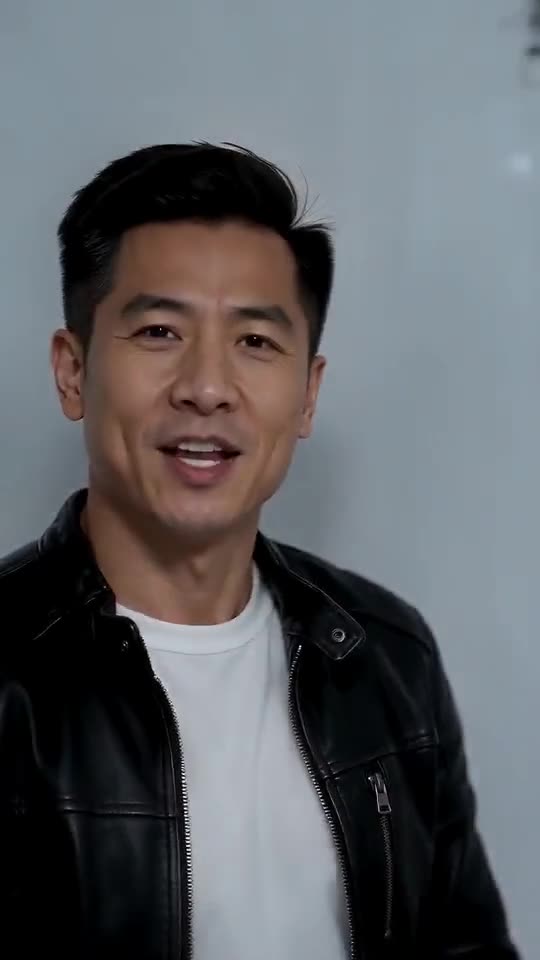
Getting into the cold room
- Open the template page. There is one box, for the rapper. The camera starts close to your face and later films you from behind, so use a sharp, front-facing photo of one adult, full body or at least to the waist, with empty, visible hands. Pets, children and group photos are not accepted. JPG, PNG or WebP, up to 10 MB.
- Pick the room: cold storage (the default), warehouse, frozen walk-in freezer, shop stockroom, basement archive or loading dock. Pick the jacket: black leather (the default), denim, puffer, blazer, bomber or a black turtleneck. Pick the accessory: none, a silver or gold chain, a grey scarf, a wristwatch or a beanie. None changes the price, and the defaults are the combination we tested.
- Choose 9:16 for TikTok, Reels and Shorts, or 16:9 for YouTube and desktop screens.
- Consent and sign-in. Tick the photo-consent box and log in with Google. Previews arrive inside a pack, so take one if you have no credits.
- Watch the preview. It is watch-only, 5 seconds at 480p, with a PREVIEW badge. Use it to check the face and the first moves; hands near the face are hard for AI video, so a blurred fist is normal and not a failed render.
- Render: 1 credit gives the 15-second 720p MP4 with no watermark, saved in My videos.
- Add the sound in TikTok, starting at 0 seconds.
What the handheld scene already does
A single handheld camera follows five beats: you step in from the left and rap into the lens (0 to 2 seconds), lean in, jab a finger and walk off while the camera swings with you (2 to 5), stroll past metal shelves of plain white boxes and press your arms down to the beat (5 to 9), strike open-hand and crossed-arm poses with a fist and thumb at the temple (9 to 12), and finally turn your back, look over your shoulder, flick a thumb and smirk (12 to 15).
The mouth moves like a rapper’s but nothing is lip-synced to real lyrics, and there is no prompt to write. Faces and motion shift a little between runs.
Choosing a sound and posting
Your video waits in My videos for download or a share link. Our video follows a format, not one particular post, so start any slow, heavy beat at 0 seconds and trim it to the clip; the sound guide explains how, and the silent download leaves only the sound you add.
MimicZip is independent and has no link to any artist, label or the people who posted the trend.
Questions people ask
Do I need to write a prompt?
No. The cold room, the camera and the beat order are fixed. You provide one photo and choose the room, the jacket and the format.
Can I close the page while it renders?
Yes. Rendering carries on at our end, and the finished video is saved under your account in My videos.
Which format should I pick?
Choose 9:16 for TikTok, Reels and Shorts, or 16:9 for YouTube and desktop. A bonus preview works in either shape.
Make your own Iceman AI video
Upload one photo and make a 15-second HD video from $8.99. No subscription, and the full video has no watermark.
Make my video