iPhone Kupi Dance AI not working? Fixes for common problems and a free redo
Updated:
Short answer
A failed iPhone Kupi Dance render is refunded automatically, but a finished clip is not redone for free: a new run costs 1 credit, even with the same photo. Test the face with a 5-second bonus preview first; every pack includes some.
Covered and not covered
- Covered: a render that fails or a photo the model refuses. The credit reserved at the start returns on its own.
- Not covered: a phone that bends or blurs for a moment during the toss, or opens a beat early. A device spinning through the air is hard for AI video; this is a result, not a failed render.
- A new run, not a redo: another room or outfit costs 1 credit.
- Unused packs: refundable within 7 days. Email support@mimiczip.com to ask.
Use the previews before you re-run
You get 1 with the $8.99 pack, 3 with $16.99 and 5 with $25.99. The face is hidden behind the big screen for a moment and later seen from further away, so a sharp, front-facing photo matters (face guide). Keep your hands empty in the photo so the model does not mix up objects, and prefer the default hotel room and faux-fur coat, which match the reference most closely (toss guide). The preview cannot show the full toss.
iPhone Kupi Dance AI video: why did the face change, and how do I fix it?
The face drifts when the photo is small, dark, filtered or turned away, and in this clip the face is also hidden behind the big screen for a moment and then seen from further away. Use a sharp, well-lit photo facing the camera, run a 5-second bonus preview, and only then make the full video.

Quick fixes
- Crop so the face is large and sharp.
- Use daylight, no sunglasses and no beauty filter.
- Pick a photo where you look at the camera.
- Use one person per photo.
Why it happens
The camera sees you very close, then partly behind the screen, then in a wider shot while you spin. A clearer input gives the model more to hold on to through all three.
iPhone Kupi Dance AI video: the moves do not match the sound, how do I fix it?
Most drift comes from the sound, not the video. Use the sound of the @thecocovex clip, which our video follows, and keep it starting at 0 seconds. Every run is generated fresh, so a few frames of drift are normal, especially around the toss.
Fix it in the editor
- Use the 15-second full video, not the preview.
- Use the sound from the @thecocovex clip.
- Start the sound at 0 seconds.
- Mute or lower the video’s own audio.
Why it drifts
The video follows the viral clip, but the model still invents each move, so the unfold or the toss can land a few frames early or late.
iPhone Kupi Dance AI video: the phone or the toss looks wrong, what can I do?
A device that spins through the air is hard for AI video, so it can bend or blur for a moment during the toss, or open a beat early. That is normal and not a failed render. A clear, full-body photo and the default hotel room give the closest match. Check a 5-second bonus preview first.
What helps
- A sharp, full-body photo of one adult.
- Empty hands in your photo, so the model does not mix up objects.
- The default hotel room and faux-fur coat, which match the reference most closely.
- The full 15-second video, not the preview, for the full toss.
What to expect
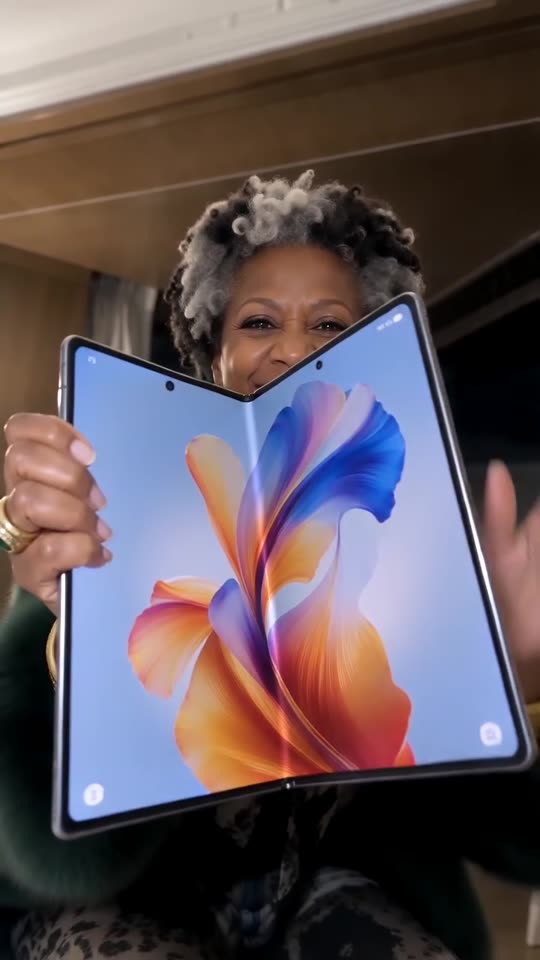
Every render is a new AI run, so the screen, the toss and the catch change a little. The phone never shows a logo, and its screen only shows an abstract wallpaper.
Questions people ask
Is a failed video charged?
No. The credit is reserved when the run starts and returned if it fails. Failed runs return their credit automatically.
How do I avoid paying twice for a bad result?
Run a bonus preview first and use a sharp, full-body photo of one adult with empty hands. Only then spend the credit on the full 15 seconds.
Can I get my money back instead?
Only for packs you have not used, within 7 days of buying. Credits that already produced a video stay spent.
Does the outfit option change my face?
No. It changes the clothes only, but a full-body photo keeps your build closer.
Can you redo it for free?
No. A video that rendered correctly is not redone for free. See free redo.
Does the silent download help?
Yes. It leaves only the sound you add.
Is this a failed video?
No. A render that finished is not a failure, so its credit is not returned.
Why is there no logo on the phone?
On purpose: it is a generic device, and we have no link to any phone maker.
Make your own iPhone Kupi Dance video
Upload one photo and make a 15-second HD video from $8.99. No subscription, and the full video has no watermark.
Make my video