How do I make an Oh You Can Make It Cap AI video?
Updated:
Short answer
Upload two photos of adults, one who laughs and one who spins with the bag, pick a bag and an outfit, and MimicZip builds the white-studio gag. Check a 5-second bonus preview, then spend 1 credit on the 14-second 720p video. No prompt, no dialogue, and you can close the page while it renders.
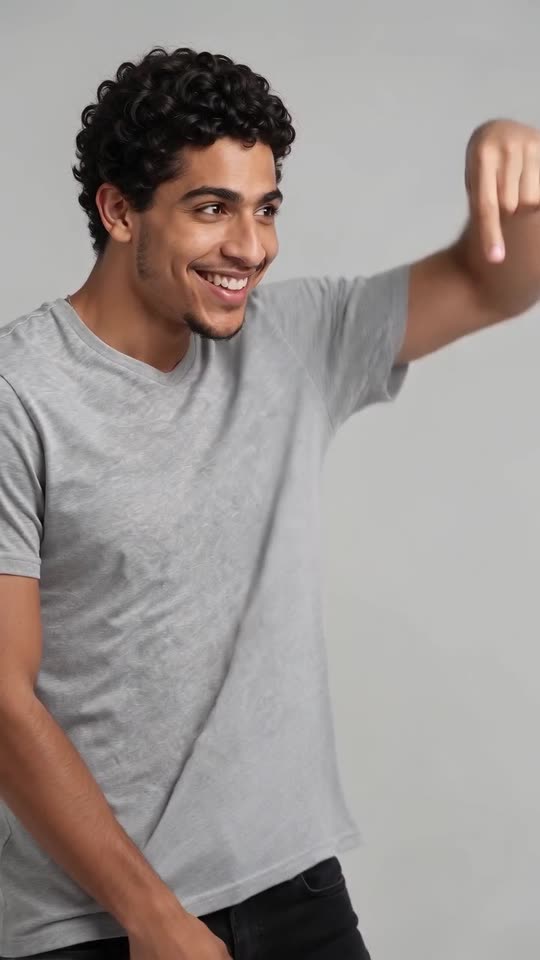
Casting the laugher and the spinner
- Open the template page. You get two boxes: the one who laughs and the one who spins. The first person asks for a turn and then folds over laughing; the second twirls with the bag and looks back over the shoulder. Both boxes are required.
- Choose two adults. Photos should be waist-up or more, facing the camera, ideally smiling with the mouth slightly open, as JPG, PNG or WebP up to 10 MB. Pets, children and two people in one photo are not accepted. Two different photos work best, because with the same photo twice the model can merge the pair into one person.
- Choose the bag: red handbag (the closest to the viral clip), little gold bag, shopping bag, small puppy (the least tested), canvas tote or pink mini backpack. Choose the outfit: your own clothes, white tee with a blue dress, all black, party wear, cream knits or denim jackets. Choose the backdrop: light grey-white or a soft pink, sage, beige, sky-blue or lavender studio wall. The price stays the same.
- Pick 9:16 for TikTok, Reels and Shorts, or 16:9 for YouTube and desktop screens.
- Consent, login, pack. Tick the photo-consent box and sign in with Google. Previews are bundled with packs, so choose one if you have no credits.
- Run the preview. It is watch-only, 5 seconds at 480p, with a PREVIEW badge. A stiff face makes a stiff laugh, so check the expressions here before you spend the credit.
- Render: 1 credit gives the 14-second 720p MP4 with no watermark, saved in My videos.
The cut rhythm is already in the scene
The scene cuts between the two people on one fixed camera in a plain white studio. The first person grins and circles a finger (0 to 2 seconds), cut to the second twirling and flicking their hair (2 to 3), then back and forth while the first bites a fist and laughs (3 to 10), and the first person ends with an explaining gesture and one more laugh (10 to 14). Your photos decide who is who; nothing else needs typing.
There is no scripted dialogue and no lip-sync in the video, and faces and motion shift a little each run.
Adding the laugh sound
Your video waits in My videos for download or a share link. The sound comes from a 2024 dating-show clip posted as “what is that laugh”, and you add it yourself in TikTok; none of that clip’s footage is in ours. The sound guide explains the steps.
MimicZip is independent and not affiliated with the show, the people in it or the people who posted the original clips.
Questions people ask
Do I need to write a prompt?
No. The studio, the camera and the cuts are fixed. You choose the two photos, the bag, the outfit, the backdrop colour and the shape.
Can I use one photo for both roles?
It is better not to. With the same photo twice both people look identical and the model may merge them into one. Use two different photos.
Can I close the page while it renders?
Yes. Rendering carries on at our end, and the finished video is saved under your account in My videos.
Which format should I pick?
9:16 for TikTok, Reels and Shorts; 16:9 for YouTube and desktop. A bonus preview works in either shape.
Make your own Oh You Can Make It Cap AI video
Upload two photos and make a 14-second HD video from $8.99. No subscription, and the full video has no watermark.
Make my video