Dog Dance Crew AI not working? Fixes for common problems and a free redo
Updated:
Short answer
A failed Dog Dance Crew run is refunded automatically, but a finished clip is not redone for free, even if your pet moves less than the other dogs. Every pack includes bonus previews, so check the head and ears in a 5-second one before you spend the credit.
What comes back and what stays spent
- Refunded automatically: a run that ends with an error and no video.
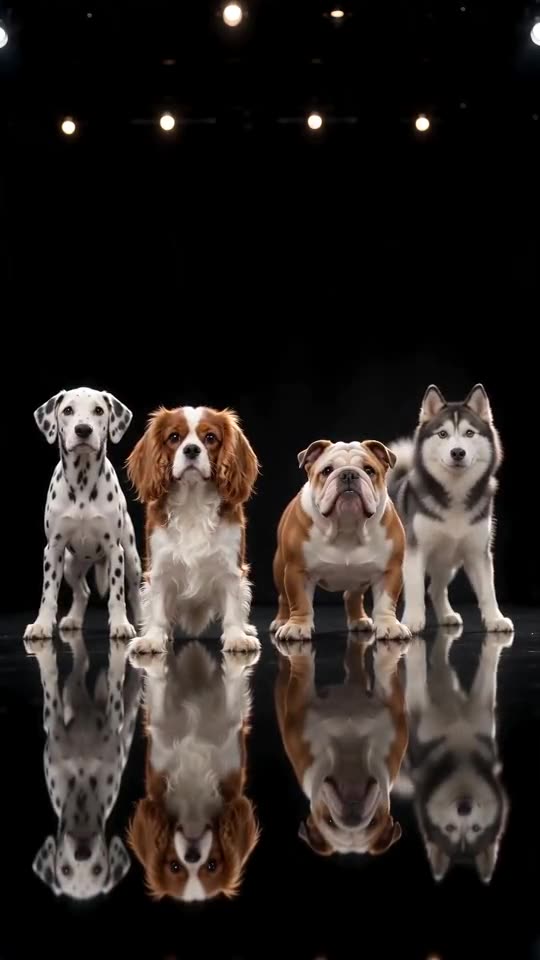
- Not refunded: a finished clip where the crew order shifted or looks a little different, or where your pet barely nods. The row of four is drawn fresh each time, so details vary.
- A new run: another photo, stage or dressing choice costs 1 credit.
- Unused packs: refundable within 7 days, see the refund policy.
What to look at in the preview
A side view, a covered head or a pet far away in the photo makes the model shy about moving it, so use a front-facing photo where the head and ears show (movement guide). Cats and small pets move softer by design. A photo with more than one animal can shuffle the crew, so keep exactly one pet and try the black mirror stage for the cleanest background (crew guide). Fast head shakes blur faces (face guide). You have 1 previews with $8.99, 3 with $16.99 and 5 with $25.99.
To ask for a refund on an unused pack within 7 days, email support@mimiczip.com.
Dog Dance Crew AI video: why does my pet look different, and how do I fix it?
Looks drift when the model cannot see the pet clearly, and this trend’s fast head shakes blur it further. Use a sharp, well-lit, front-facing photo where the pet fills most of the frame, remove costumes and heavy filters, then run a 5-second bonus preview again before spending credits.
Common causes
- Small pet: in a far-away or group photo the face has too few pixels.
- Heavy filters or beauty apps: the model sees a face that does not match your real pet.
- Side-on or dark photos: with half a face visible, the model guesses the rest.
- Fast head shakes: the head blurs for a moment mid-shake. That is part of the look, and it settles again.
A quick fix routine
- Pick a new photo that follows the photo guide.
- Run a bonus preview and compare the pet with your photo.
- Only then render the full video, because each full render costs 1 credit.
- Still wrong? Email support@mimiczip.com with the video link.
Dog Dance Crew AI video: a fifth dog or the row looks wrong
The row of four is part of the scene, but the model draws it fresh each time, so the order can shift or the crew can look a little different. It happens more when the photo shows several animals. A clear photo of a single pet usually helps.
Why it happens
The model has to place four animals side by side and keep them there. Photos with more than one animal give it extra shapes to copy.
What to try
- Use a photo with exactly one pet.
- Check a bonus preview first.
- Pick the black mirror stage for the cleanest background.
Dog Dance Crew AI video: the heads barely move
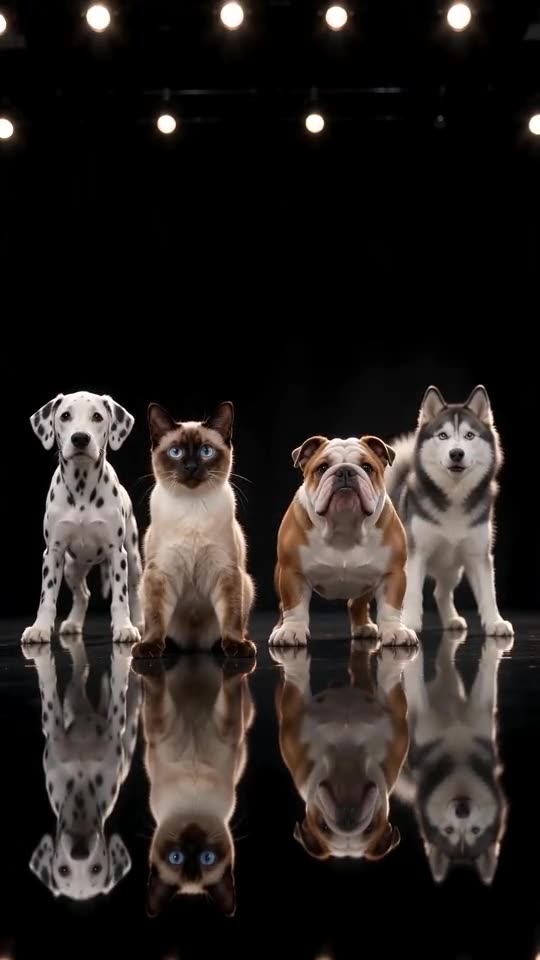
A hidden or unclear head in the photo makes the model shy about moving it. Use a photo where the head and ears are clearly visible, ideally from the front, and check a bonus preview before you make the full video. Cats and small pets move softer by design.
Common causes
- Side view: the model cannot see the whole head.
- Head covered: a toy, a hand or long fur over the face.
- Very small pet: the pet is far away in the photo.
Quick fix
- Pick a front-facing photo.
- Run a bonus preview first.
- Keep the photo bright and sharp.
Questions people ask
Is a failed video charged?
No. The credit is reserved when the run starts and returned if it fails.
How do I avoid paying twice for a bad result?
Run a bonus preview first and fix the photo: one pet, front-facing, head and ears visible, bright and sharp. Only then spend the credit on the full 15 seconds.
Can I get my money back instead?
Only for packs you have not used, within 7 days of buying. Credits that already produced a video stay spent.
Is a changed look a failed video?
No. A failed video is one that did not finish, and its credits return on their own. A finished video where the pet looks different counts as a normal result.
My cat came out a different colour. Why?
Dark or yellow light changes how fur looks to the model. A photo in daylight shows the real colours and markings best.
Can I upload several photos of the same pet?
No. The template takes one photo, so choose the clearest one.
Can I remove one of the three dogs?
No. The Dalmatian, the Bulldog and the Husky are fixed, because the row of four is the joke.
Is it a failed video?
No. A failed video is one that did not finish, and those return the credit automatically.
Make your own Dog Dance Crew video
Upload one pet photo and make a 15-second HD video from $8.99. No subscription, and the full video has no watermark.
Make my video