Dog Dance Crew AI: CapCut vs AI, other tools and prompts
Updated:
Short answer
In CapCut you cut and sync clips of real dogs yourself, as in the Dancing Puppy Crew edit. MimicZip works in a browser: one pet photo gives a brand-new 15-second video timed to the trend, with bonus previews in every pack and no watermark on the full video.
An edit or a generated crew
- What you provide: the CapCut route needs several dog clips and the time to cut and time them. MimicZip needs one pet photo.
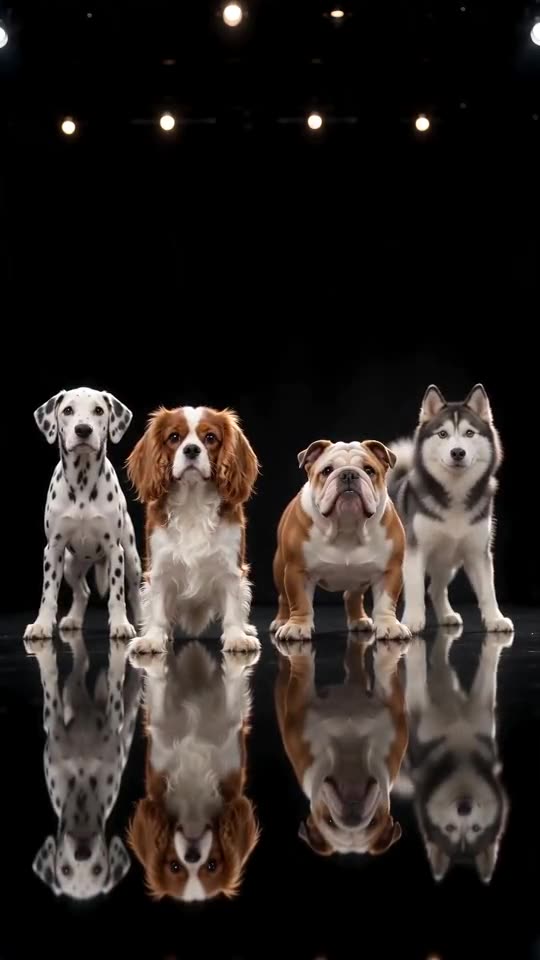
- The earlier edit: @chanel_ed1t’s Dancing Puppy Crew, posted on 7 October 2026, was cut in CapCut from five puppies in a living room. The black-stage version that spread is a locked-off AI shot of four dogs, which is the one we follow.
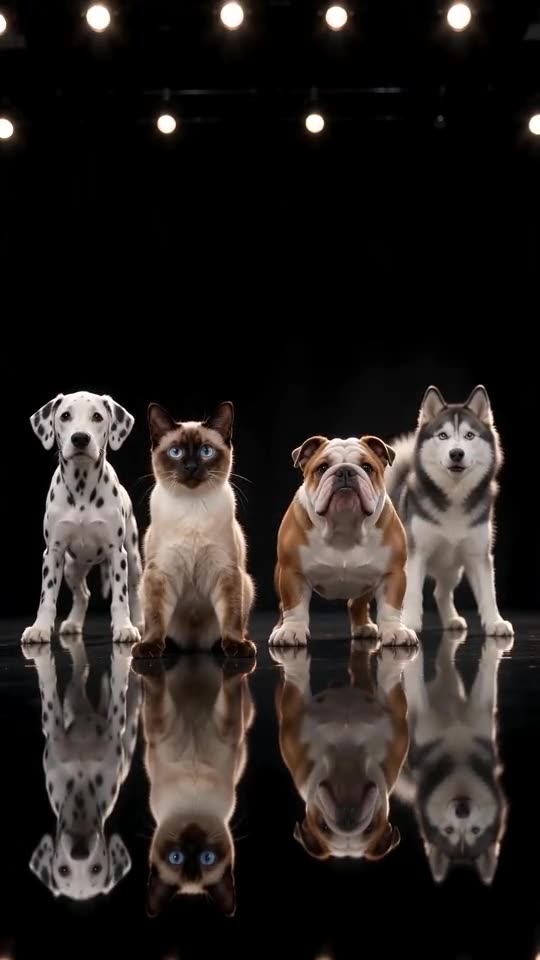
- The row: here your pet takes the lead spot, with a Dalmatian, an English Bulldog and a Siberian Husky beside it, and all four bow, nod and whip their heads in sync. You cannot remove one of the three.
- Stage: six to choose from: black mirror, neon, living room, lawn, white studio or red curtain.
- Cost: CapCut has free and paid features, so check its current plans. Here 1 credit is one full 15-second video with no watermark, and every pack includes watch-only previews.
Which one to pick
Pick CapCut when you have real clips of four dogs and enjoy cutting. Pick MimicZip when you want a finished video from one photo of your own pet, in a browser, with nothing to film. You can also download the MP4 and open it in CapCut for text or effects.
Dog Dance Crew AI vs general AI video tools
General AI video tools can make dogs dance, but you write the prompt, guess the timing and pay for retries. MimicZip has the black mirror stage, the row of four and the trend’s timing built in, so you only add one pet photo.
What you skip with the built-in crew
- Writing and testing a prompt that keeps four animals in a row.
- Matching the 15-second routine by hand: the bow, the nods, the head shakes and the happy pant at the end.
- Re-running until all four heads move on the beat, with your own pet in the lead spot.
- Paying for retries: here you check a watch-only preview before you spend a credit, and each pack includes previews.
What you give up
Free-form ideas. MimicZip makes one format with a fixed Dalmatian, Bulldog and Husky, so for anything else a general tool is the better choice. Packs start at $8.99 here, and general tools have their own plans. If you want to try writing a prompt yourself, our Kling, Veo and Seedance pages help.
Dog Dance Crew prompt for Kling: a copyable prompt
Copy the prompt below into Kling, attach a photo of your pet as the image and pick 9:16, about 15 seconds. The prompt describes the row of four, the stage and the five beats. Expect to try a few times; timing will be rougher than with a timing guide.
Copy this prompt
Image-to-video, 9:16, about 15 seconds.
Reference image 1 is the LEAD, a pet. Keep its species, face, fur colours and markings exactly as in the image.
Exactly four animals stand side by side in one straight row, facing the camera, on a black stage with a glossy mirror-like floor, a plain black back wall and a row of small warm spotlights along the top. From left to right: a white Dalmatian with black spots, the LEAD, a brown-and-white English Bulldog, a grey-and-white Siberian Husky. No fifth animal and no people.
Camera: one static, front-facing shot at the animals' eye height, no cuts, all four animals fully in frame.
Beat 1 (0 to 1 seconds): all four lower their heads in a deep bow together, then lift them and look into the lens.
Beat 2 (1 to 5 seconds): all four nod in time, then throw their heads from side to side in big shakes.
Beat 3 (5 to 8 seconds): all four tilt their heads left and right, with quick head shakes in between.
Beat 4 (8 to 11 seconds): all four shake their heads from left to right in a steady rhythm.
Beat 5 (11 to 15 seconds): all four face the lens with mouths open in a happy panting grin and sway lightly.
Audio: an upbeat instrumental dance track with a steady beat. No vocals, no singing, no barking, no lyrics, no speech.
Photorealistic, natural motion, no text, no subtitles, no logos, no watermark.
How to use it
- Attach your pet photo as reference image 1.
- Add the trending sound in TikTok afterwards.
- If the pets start making real sounds, mute the clip.
Dog Dance Crew prompt for Veo
Paste the prompt below into Veo with your pet photo as the starting image, at 9:16. It describes the row of four, the stage and the five beats. Veo may add its own sound, so download without sound or mute it before adding the trend's sound.
Copy this prompt
Image-to-video, 9:16, about 15 seconds.
Reference image 1 is the LEAD, a pet. Keep its species, face, fur colours and markings exactly as in the image.
Exactly four animals stand side by side in one straight row, facing the camera, on a black stage with a glossy mirror-like floor, a plain black back wall and a row of small warm spotlights along the top. From left to right: a white Dalmatian with black spots, the LEAD, a brown-and-white English Bulldog, a grey-and-white Siberian Husky. No fifth animal and no people.
Camera: one static, front-facing shot at the animals' eye height, no cuts, all four animals fully in frame.
Beat 1 (0 to 1 seconds): all four lower their heads in a deep bow together, then lift them and look into the lens.
Beat 2 (1 to 5 seconds): all four nod in time, then throw their heads from side to side in big shakes.
Beat 3 (5 to 8 seconds): all four tilt their heads left and right, with quick head shakes in between.
Beat 4 (8 to 11 seconds): all four shake their heads from left to right in a steady rhythm.
Beat 5 (11 to 15 seconds): all four face the lens with mouths open in a happy panting grin and sway lightly.
Audio: an upbeat instrumental dance track with a steady beat. No vocals, no singing, no barking, no lyrics, no speech.
Photorealistic, natural motion, no text, no subtitles, no logos, no watermark.
Tips
- Use a sharp, front-facing pet photo.
- Keep the clip at about 15 seconds.
Dog Dance Crew prompt for Seedance
Paste the prompt below into Seedance with your pet photo as reference image 1, at 9:16 and about 15 seconds. A reference video of the viral clip would tighten the timing; without it expect rougher beats.
Copy this prompt
Image-to-video, 9:16, about 15 seconds.
Reference image 1 is the LEAD, a pet. Keep its species, face, fur colours and markings exactly as in the image.
Exactly four animals stand side by side in one straight row, facing the camera, on a black stage with a glossy mirror-like floor, a plain black back wall and a row of small warm spotlights along the top. From left to right: a white Dalmatian with black spots, the LEAD, a brown-and-white English Bulldog, a grey-and-white Siberian Husky. No fifth animal and no people.
Camera: one static, front-facing shot at the animals' eye height, no cuts, all four animals fully in frame.
Beat 1 (0 to 1 seconds): all four lower their heads in a deep bow together, then lift them and look into the lens.
Beat 2 (1 to 5 seconds): all four nod in time, then throw their heads from side to side in big shakes.
Beat 3 (5 to 8 seconds): all four tilt their heads left and right, with quick head shakes in between.
Beat 4 (8 to 11 seconds): all four shake their heads from left to right in a steady rhythm.
Beat 5 (11 to 15 seconds): all four face the lens with mouths open in a happy panting grin and sway lightly.
Audio: an upbeat instrumental dance track with a steady beat. No vocals, no singing, no barking, no lyrics, no speech.
Photorealistic, natural motion, no text, no subtitles, no logos, no watermark.
Tips
- Name every animal in the row, or the count drifts.
- State that there is no fifth animal and no people.
Questions people ask
Is MimicZip made by CapCut?
No. MimicZip is an independent tool with no link to CapCut, TikTok or the people who posted the trend.
Can I use both?
Yes. Download your MP4 and open it in CapCut to add text, effects or the sound.
Which model does MimicZip use?
A current AI video model, guided by the trend’s timing. The exact model may change as better ones appear.
Why does the prompt ask for no vocals?
Video tools sometimes invent a voice or barking. You add the trend's sound yourself, so a silent track works best.
Will it match the sound?
Only roughly. Without a timing guide the beats drift.
Does Veo keep the row of four?
Usually, but check that no fifth animal appears and that your pet stays second from the left.
Does it keep my pet's colours?
Usually, if the photo is sharp and the prompt says to keep the fur colours and markings exactly.
Make your own Dog Dance Crew video
Upload one pet photo and make a 15-second HD video from $8.99. No subscription, and the full video has no watermark.
Make my video