Pet Seal Filter AI not working? Fixes for common problems and a free redo
Updated:
Short answer
If a Pet Seal Filter render errors out, its credit comes back by itself. If it finishes and you simply want another take, a rerun costs 1 credit, even with the same photo. Use a 5-second bonus preview to check the pet before you pay for the full video.
When the credit comes back
- A render that errors out, or a photo the safety check refuses: automatic, nothing to ask for.
- A pack you have not touched, within 7 days of buying: see the refund policy.
When it does not
- A finished clip where the seal appears a little early or late compared with the line.
- A fresh try with another transformation, place or line colour: that is a new run at 1 credit.
Test before you spend
The $8.99 pack comes with 1, the $16.99 pack with 3 and the $25.99 pack with 5. A sharp photo of the whole pet (photo guide) is the best protection against a seal in the wrong colours. Previews are watch-only and lower resolution.
For a refund on an unused pack, email support@mimiczip.com.
Why does the seal in my Pet Seal Filter AI video not look like my pet?
The seal drifts from your pet when the photo is small, dark or cropped, or shows more than one animal. Use one sharp, evenly lit photo of one dog or cat with the whole body in view, then check a bonus preview before you spend a credit.
What usually causes it
- A dark photo where the coat markings cannot be read.
- A cropped photo that cuts off the legs, so the AI guesses the pattern.
- Two animals in the photo, or a person holding the pet.
- A heavy filter that already changed the colours.
What to do
Retake the photo with the whole pet in view and even light, facing the camera, then run a preview. The seal gets its colours from the coat in the first seconds, so the photo needs clear markings to hold on to. See the photo guide.
What if the line and the change do not match in my Pet Seal Filter AI video?
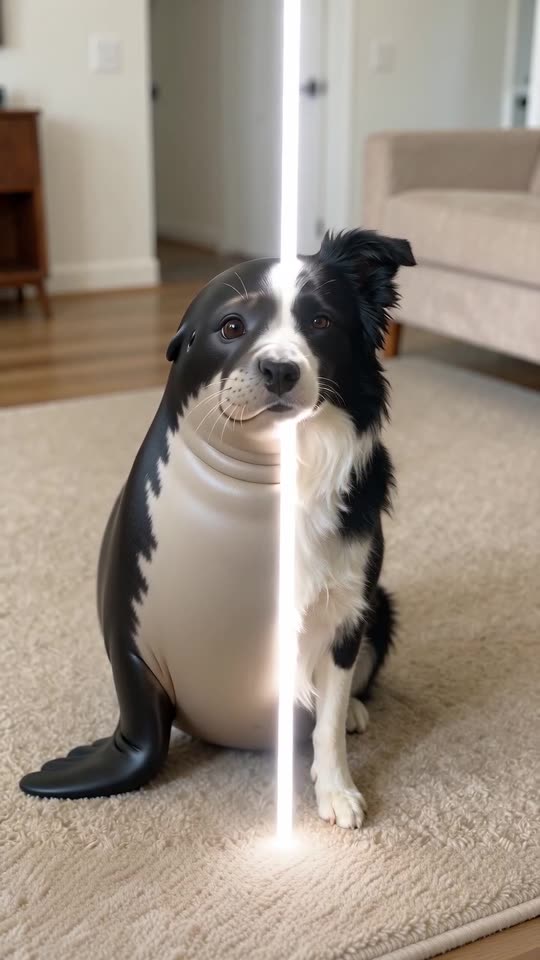
AI does not tie the line to the pet frame by frame, so the seal can appear a little ahead of or behind the line. If the pet never changes or changes twice, try the same photo once more or a plainer place; the preview shows the opening before you spend a credit.
What is normal
- The seal appears slightly ahead of or behind the line.
- The line crosses more slowly or faster than in the original post.
- The line is still visible near the edge of the picture at the end.
What is not
- The pet never turns into anything.
- It changes into something else, or a second animal appears.
- The room changes during the sweep.
What to try
Pick the default seal and your own place, which are the combination we tested, and use a photo with a tidy background. If a full video misses the change, a new run costs 1 credit; see free redo for what is refunded.
Questions people ask
Will I be charged for an error?
No. The credit is held when the run starts and handed back if it errors.
How do I avoid wasting a credit?
Preview first with a sharp photo, then spend the credit on the full 6 seconds only when it looks right.
Can I get a refund instead of a redo?
Only on a pack you have not used, within 7 days.
Is a different-looking seal refunded?
A render that finishes is a result, not an error; check a bonus preview first to avoid it.
Do plain coats work?
Yes, but a plain coat gives a plain seal; bold markings carry over more clearly.
Can I use two photos?
No. One photo of one pet is all this template takes.
Can I make the line thinner?
The line is part of the generated picture, so its thickness changes a little from run to run.
Does the line colour change the speed?
No. It only changes the colour of the line.
Does a busy room make it harder?
A tidy room helps, because the AI keeps the place unchanged while the pet changes.
Make your own Pet Seal Filter video
Upload one photo and make a 6-second HD video from $8.99. No subscription, and the full video has no watermark.
Make my video