Prank Mask AI not working? Fixes for common problems and a free redo
Updated:
Short answer
If a Prank Mask render errors out, its credit comes back by itself. If it finishes and you simply do not like it, a rerun costs 1 credit, even with the same selfie. Use a 5-second bonus preview to check the returning face and the peel before you pay for the full video; every pack includes some.
When the credit comes back
- A render that errors out, or a photo the safety check refuses: automatic, nothing to ask for.
- A pack you have not touched, within 7 days of buying: see the refund policy.
When it does not
- A finished clip where the ageing is mild, the mask slides sideways or your hands blur for a moment. Hands are hard for AI video, so these count as a result, not a failure.
- A fresh try with another place, outfit or photo: that is a new run at 1 credit.
Test before you spend
The $8.99 pack comes with 1, the $16.99 pack with 3 and the $25.99 pack with 5. Because the clip changes your face twice, start from a sharp, front-facing photo (face guide); a chest-up photo of one person with the hands down helps the peel (peel guide). Previews are watch-only and lower resolution, so judge sharpness on the full video.
For a refund on an unused pack, email support@mimiczip.com.
Prank Mask AI video: why is the face under the mask not mine, and how do I fix it?
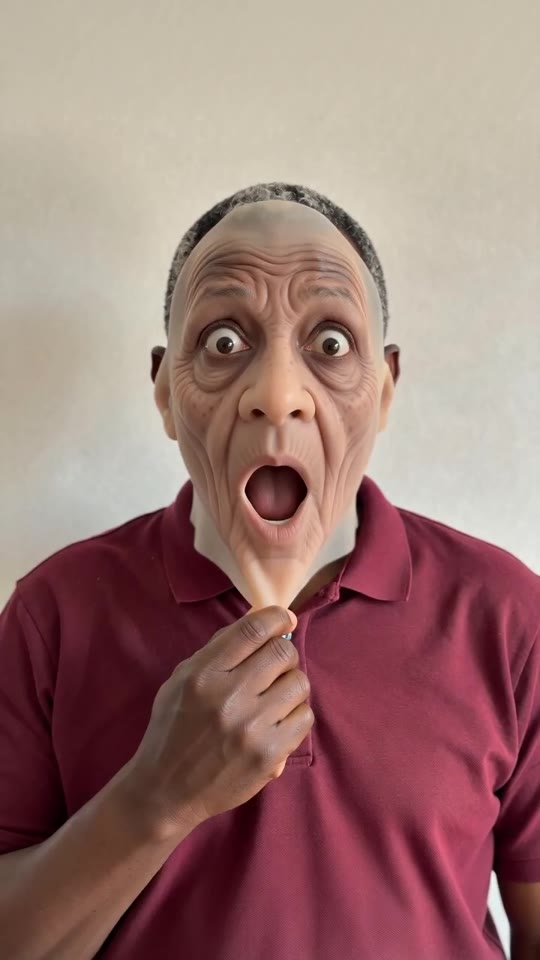
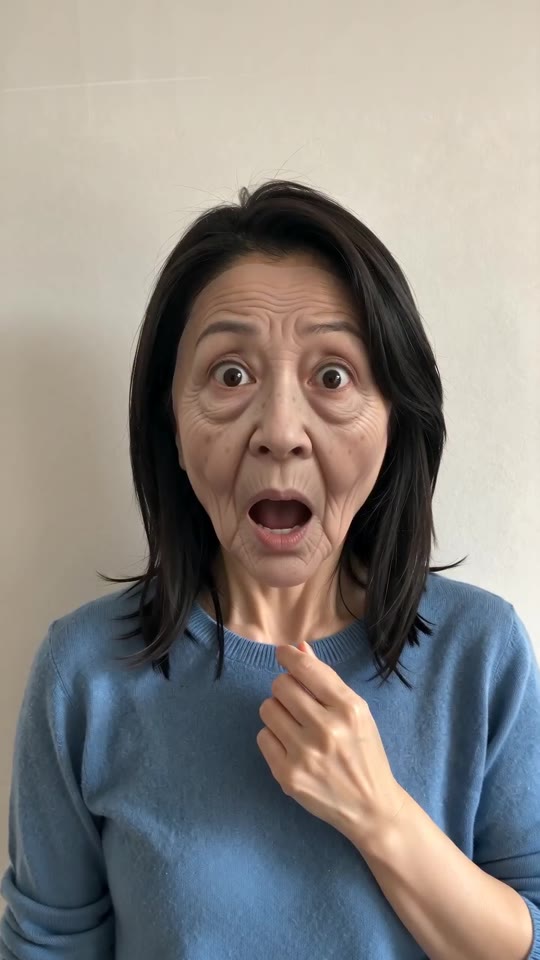
The face drifts when the photo is small, dark, filtered or turned away, or when a second person is in the frame. The clip ages the face first, so the model has two faces to hold on to. Use a sharp, well-lit photo facing the camera, check a 5-second bonus preview, and only then make the full video.
Quick fixes
- Crop so the face is large and sharp, chest up.
- Use daylight, no sunglasses and no beauty filter.
- Pick a photo where you look at the camera.
- Use one person per photo.
Why it happens
The face has to age and then come back as the same face. A small, tilted or filtered photo leaves little to return to, so a clear input matters more here than in most templates.
Prank Mask AI video: the mask does not come off from the chin, or a second person appears, how do I fix it?
The peel needs both hands free and the chin in view. If the mask stays stuck, slides off sideways or a second face appears, start from a chest-up photo of one person, with the hands down and a plain background. Check a 5-second bonus preview before you spend a credit.
What helps the peel
- A chest-up photo with both shoulders in view, so the arms have room.
- Hands out of the frame, not holding a phone or covering the chin.
- A plain background with nobody behind you.
If the result still looks off
- A mask that looks like skin for a moment is a result, not a failed render.
- A second face in the clip usually means a person or a poster in the background of your photo.
- Try another photo or a different place option, and check the preview first.
Prank Mask AI video: the face barely ages before the peel, how do I fix it?
The ageing is invented by the model, so it can come out mild or odd, especially on a very young face, a heavily filtered photo or a face turned from the camera. Use a sharp, evenly lit, front-facing photo, check a 5-second bonus preview, and expect each run to age you a little differently.
What changes the ageing
- Even light with no strong shadows.
- No beauty filter that smooths the skin.
- A front-facing face, not a tilted one.
- No hat, scarf or hair across the forehead.
What not to expect
The old face is a funny one, not a lookalike of any real relative or person. It comes out a little different on each run, so a second run with the same photo can age you differently.
Questions people ask
Will I be charged for an error?
No. The credit is held when the run starts and handed back if it errors.
How do I avoid wasting a credit?
Preview first with a sharp, front-facing photo of one person. Spend the credit on the full 5 seconds only when the preview looks right.
Can I get a refund instead of a redo?
Only on a pack you have not used, within 7 days. A credit that made a video stays spent.
Is a failed video charged?
No. Failed runs return their credit automatically.
Does the outfit option change my face?
No. It changes the clothes only.
Is a clip with a stuck mask a failed video?
No. A finished clip where the peel looks odd counts as a result, not a failed render, and is not redone for free.
Can the mask look gory?
It is meant to be a clean rubber mask with no blood. If a preview ever shows something unpleasant, do not spend the credit and try another photo.
Will a young face age the same as an older one?
Not exactly. A younger face can look more like a mask on top, which is part of the joke.
Can I ask for a specific age?
No. There is no prompt box; the old face is generated by the template.
Make your own Prank Mask video
Upload one photo and make a 5-second HD video from $8.99. No subscription, and the full video has no watermark.
Make my video